
Microsoft ends extended support for Windows Server 2016 on 12 January 2027. After that date, servers still running it stop receiving security updates unless you pay for Extended Security Updates. UK businesses have four practical options: upgrade in place, migrate to new servers, buy time with Extended Security Updates, or move the workload to a managed provider.
Quick facts
- End of extended support: 12 January 2027.
- Mainstream support ended: 11 January 2022, so Windows Server 2016 has received security fixes only since then.
- Paid extension: Microsoft has announced Extended Security Updates for Windows Server 2016 for organisations that need more time.
- Upgrade path: Windows Server 2025 supports in-place upgrades from Windows Server 2012 R2 and later on non-clustered servers.
- After the deadline: servers keep running, but new vulnerabilities are no longer patched as standard.
What happens when Windows Server 2016 reaches end of support?
Microsoft supports each Windows Server release for around ten years: five years of mainstream support, when features and fixes are added, followed by five years of extended support, when only security updates are released. Windows Server 2016 left mainstream support in January 2022 and leaves extended support on 12 January 2027.
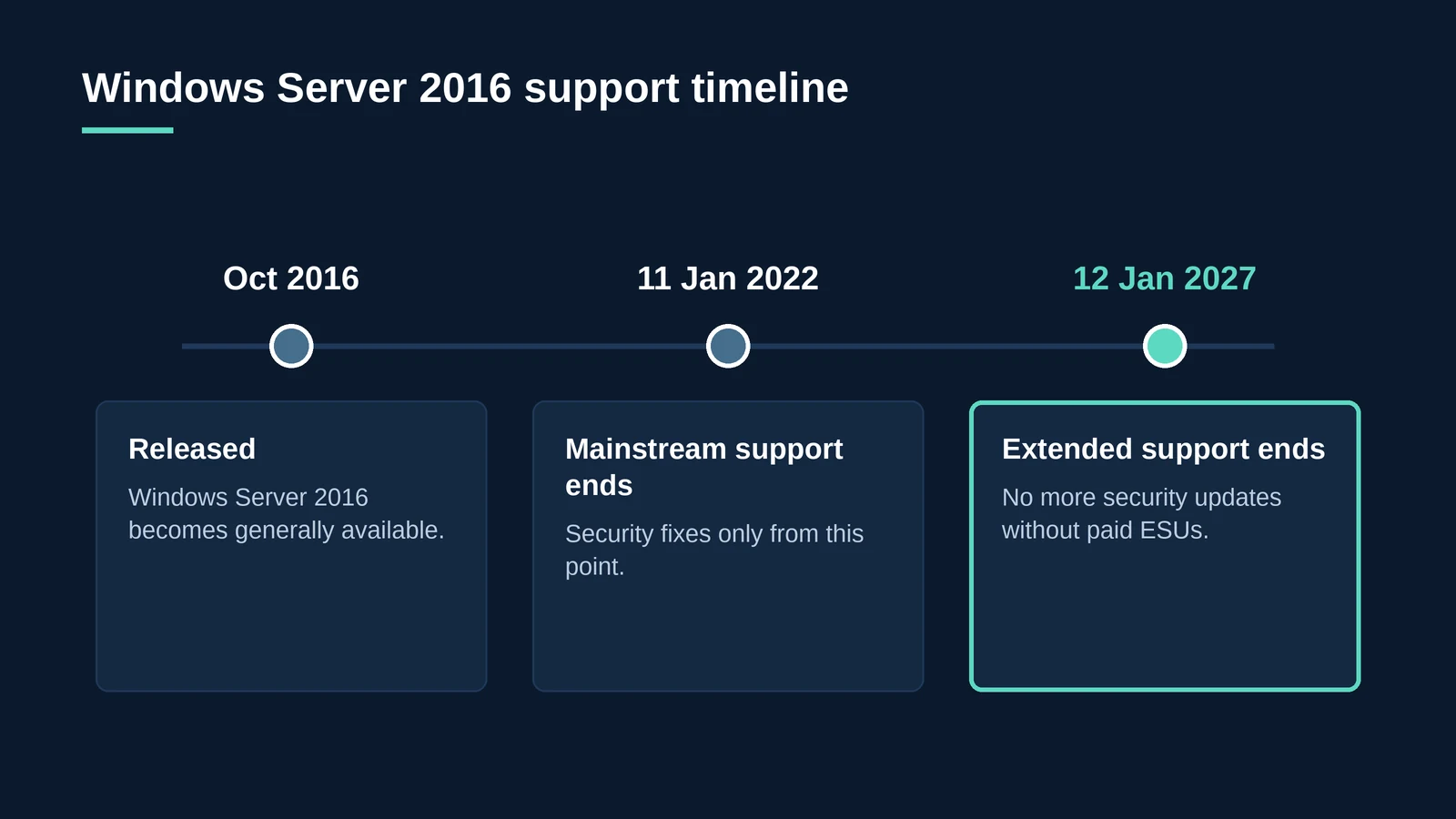
Your servers will not switch off on 13 January. What changes is that any newly discovered vulnerability stays open unless you are paying for Extended Security Updates. Over time, that makes unsupported servers one of the easiest ways into a network.
Key takeaway: End of support is a security deadline, not a shutdown date. The risk grows with every month a server runs without patches.
Why does it matter for UK businesses?
- Security. Attackers actively look for unpatched systems, and older servers often hold the most sensitive data and the widest network access.
- Certification. Cyber Essentials requires that software is supported and receives security updates. Unsupported servers in scope can put certification, and contracts that depend on it, at risk.
- Data protection. UK GDPR requires appropriate security measures. Running unsupported systems that hold personal data is hard to defend after an incident.
- Insurance and contracts. Cyber insurers and larger customers increasingly ask whether systems are supported.
- Software compatibility. Application vendors gradually stop supporting older operating systems, which can block upgrades to the software your teams rely on.
What are your options?
There is no single right answer. The best route depends on how many servers you have, what runs on them and how much change your team can take on before January.
| Option | What it involves | Best for | Watch out for |
|---|---|---|---|
| Upgrade in place | Install Windows Server 2025 over the existing installation, keeping roles, settings and data | Simple member servers on hardware that meets the new requirements | Not suitable for domain controllers or clusters; harder to roll back |
| Migrate to new servers | Build fresh servers on a supported version and move roles, data and applications across | Domain controllers, file servers and anything you want to clean up | Needs more planning time and careful cutover |
| Extended Security Updates | Pay Microsoft for continued security patches beyond the deadline | Systems you cannot move before January 2027 | A short-term cost that delays, rather than solves, the problem |
| Move to managed hosting | Run the workload on a provider’s supported, patched infrastructure | Businesses that want to stop owning and maintaining servers | Choose a provider with UK data residency and clear migration support |
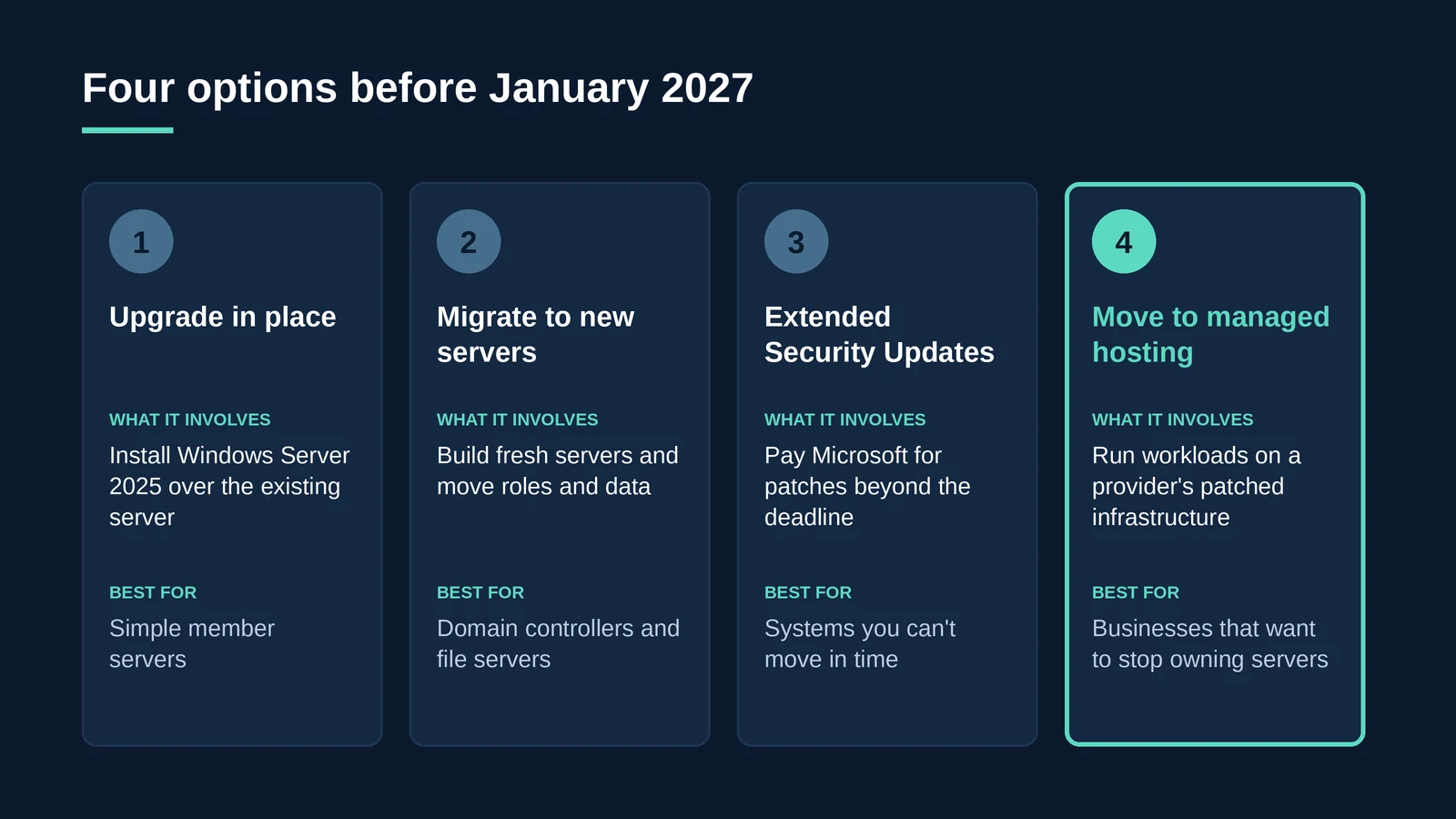
Key takeaway: Many organisations combine options: migrating most servers, buying Extended Security Updates for one or two awkward systems, and using the deadline to stop running hardware themselves.
What about Remote Desktop servers running Windows Server 2016?
Remote Desktop Services (RDS) hosts need extra care, because they serve every user at once. Before moving them, check that each published application is supported on the newer version of Windows Server, plan how user profiles will move, and review your licensing.
Licensing is the step most often missed. Older RDS client access licences cannot be used to access newer versions of Windows Server, so moving session hosts to Windows Server 2025 usually means planning a CAL upgrade. Our guide to RDS licensing in 2026 explains the details.
If you are also reviewing your remote desktop platform, our article on Citrix alternatives compares Citrix, managed RDS and Azure Virtual Desktop.
How do you plan a Windows Server 2016 migration?
- List every Windows Server 2016 machine. Include virtual machines, test servers and anything running in a branch office or under a desk.
- Record what each server does. Note its roles, applications, dependencies and the data it holds.
- Check application support. Confirm with each software vendor that their product supports Windows Server 2022 or 2025.
- Choose a route for each server. Decide between in-place upgrade, migration, Extended Security Updates or managed hosting.
- Back up before you start. Take tested backups of system state and data so every change can be reversed.
- Migrate domain controllers by promotion. Add new domain controllers on the new version, move roles across, then retire the old ones rather than upgrading them in place.
- Pilot, then move in waves. Start with lower-risk servers and finish well before January 2027.
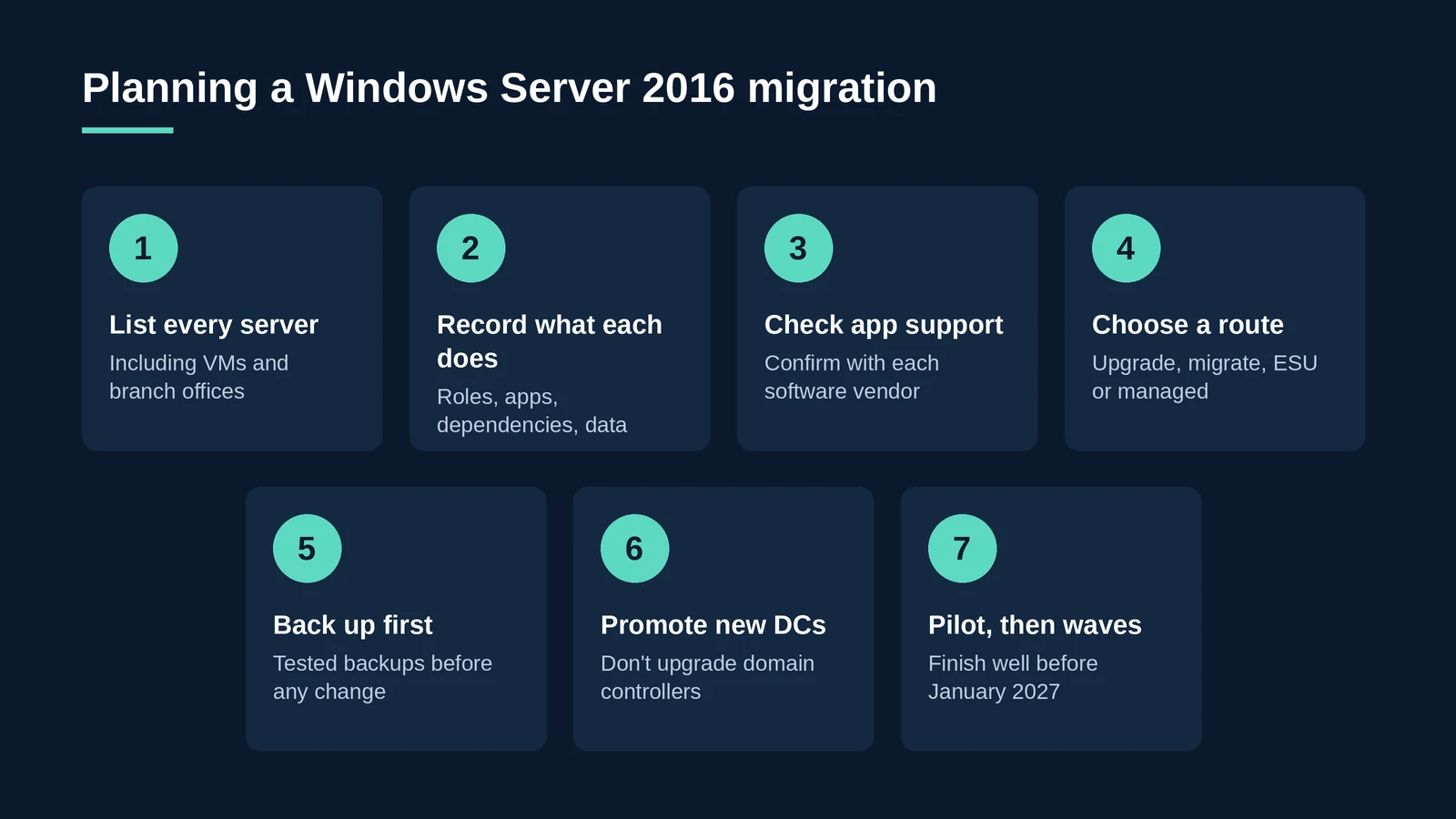
Key takeaway: With three months to go, the most important step is the first one. You cannot plan a migration for servers you have not found.
How can BlackBox Hosting help?
For many businesses, the end of Windows Server 2016 is a good moment to stop buying and maintaining server hardware. BlackBox Hosting runs workloads on fully managed, supported infrastructure in UK data centres.
- Managed private cloud and managed hosting with patching, monitoring and security handled for you.
- Managed Remote Desktop Services from the UK’s largest managed RDS provider, supporting over 10,000 daily users.
- Migration planning support, including version compatibility and RDS licensing transitions.
- Backup as a Service so you have tested backups before and after the move.
- Certified to ISO 27001, ISO 22301, ISO 20000-1, ISO 9001, ISO 14001, ISO 14068-1:2023, CSA STAR Level 2 and Cyber Essentials Plus, and listed on G-Cloud 14.
“Most businesses still on Windows Server 2016 aren’t there by choice. The servers work, so they’ve never been top of the list. January is the point where ‘it works’ stops being good enough, and it’s a good moment to ask whether you want to own servers at all.”
– Matt Burden, Founder & Managing Director, BlackBox Hosting
Still running Windows Server 2016?
Talk to a BlackBox engineer about moving your servers onto managed, supported UK infrastructure before January 2027.
Talk to an expert Start a 30-day free trialFAQ: Windows Server 2016 end of life
Extended support for Windows Server 2016 ends on 12 January 2027. Mainstream support already ended on 11 January 2022.
The servers keep running, but Microsoft stops releasing standard security updates and technical support. New vulnerabilities remain unpatched unless you buy Extended Security Updates.
You can, but it becomes increasingly risky. Unsupported servers are a common entry point for attackers and can put Cyber Essentials certification, insurance and customer contracts at risk.
Yes. Microsoft has announced Extended Security Updates for Windows Server 2016 for organisations that need more time to move. They are a paid, temporary measure rather than a long-term solution.
Yes, on suitable non-clustered servers. Windows Server 2025 supports in-place upgrades from Windows Server 2012 R2 and later. Domain controllers are usually better replaced by promoting new servers.
Usually, yes. Older RDS client access licences cannot be used to access newer versions of Windows Server, so moving Remote Desktop hosts normally involves upgrading CALs.
Upgrading suits businesses that want to keep running their own servers. Managed hosting suits those who would rather a provider handles hardware, patching and support, with the deadline used as a natural point to switch.