
Quick facts
- What it is: your current desktop or server-based finance software, run on managed cloud infrastructure.
- How users connect: usually through a secure remote desktop session or a published application.
- What stays the same: the software, the data and the way your finance team works.
- What changes: no server in the office, access from anywhere, and managed backup and security.
- Why now: ageing servers, hybrid working and month-end performance problems are the usual triggers.
What does hosting accounting software mean?
Many finance teams run accounting, payroll or ERP software that was designed to be installed on a local server or PC. Hosting moves that software, and its database, onto servers in a provider’s data centre. Users then open the application through a secure remote session, so it looks and behaves as it did before, but runs on infrastructure built for it.
This is different from switching to a cloud-native accounting product. Hosting keeps your existing system and licences. Switching means migrating to a new product, retraining staff and often rebuilding reports and integrations.
Key takeaway: Hosting changes where your finance software runs, not what it is. For teams with years of data, custom reports and integrations, that distinction matters.
How does hosted software compare with the alternatives?
| On-premises server | Hosted in a private cloud | Switching to a SaaS product | |
|---|---|---|---|
| Software | Your current system | Your current system | A new product |
| Who runs the server | You | The provider | The software vendor |
| Access from home or other offices | Needs VPN or remote access set up by you | Secure remote access built in | Browser access |
| Backups and patching | Your responsibility | Managed by the provider | Managed by the vendor |
| Data location | Your office | The provider’s data centres, which can be UK only | Depends on the vendor |
| Disruption to the finance team | None, but no improvement | Low: same software, new location | High: new system, migration and retraining |
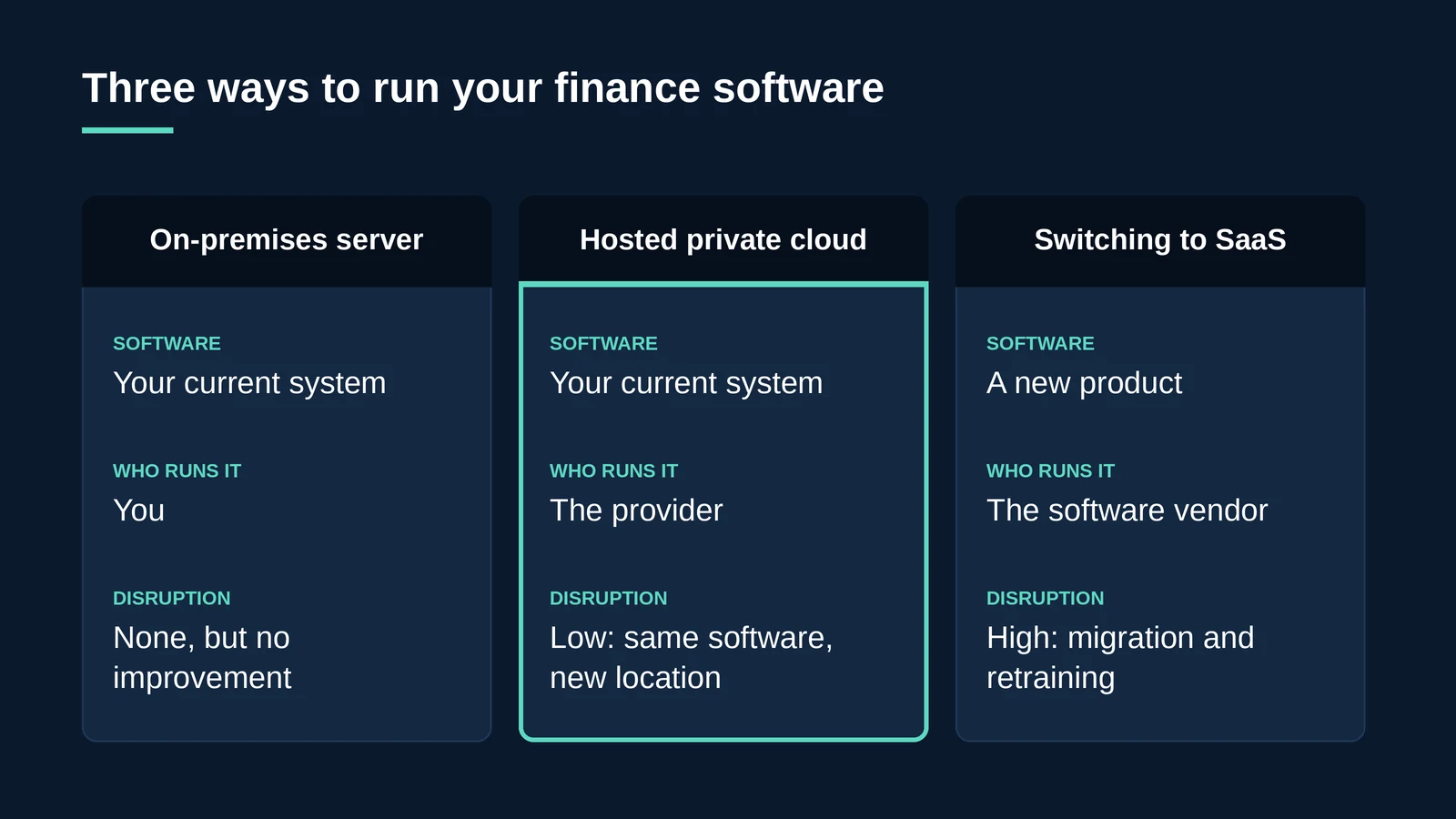
Key takeaway: Hosting is often the fastest route out of an ageing server room without forcing a finance system change in the middle of the financial year.
Why do finance teams move accounting software to the cloud?
- Ageing servers. Hardware and operating systems reach end of life. Windows Server 2016, for example, loses support on 12 January 2027; see our guide to Windows Server 2016 end of life.
- Hybrid working. Staff need reliable access from home and other offices without fragile VPN setups.
- Month-end performance. Shared office servers slow down when the whole team runs reports at once.
- Backup and audit confidence. Finance data needs dependable, tested backups and clear evidence of who can access it.
- Multi-site and multi-entity working. Groups with several companies or locations need one consistent system.
What should you look for in an accounting software hosting provider?
| Requirement | Why it matters for finance data |
|---|---|
| UK data residency and UK jurisdiction | Financial and payroll records contain personal data covered by UK GDPR |
| ISO 27001 and Cyber Essentials Plus | Independent evidence that security controls exist and are audited |
| Managed backup and disaster recovery | Ledgers and payroll cannot be rebuilt from memory; recovery must be tested |
| Support at the times you work | Month-end and year-end problems need an engineer, not a ticket queue |
| Performance under load | Dedicated resources prevent slowdowns when the whole team runs reports |
| Licensing guidance | Hosted environments need the right software and Microsoft licensing |
| Migration support | Moving databases and users without losing data or a day’s work |
For regulated finance firms, our guide to GDPR compliant cloud hosting in the UK covers the data protection side in more depth.
How does hosting work in practice?
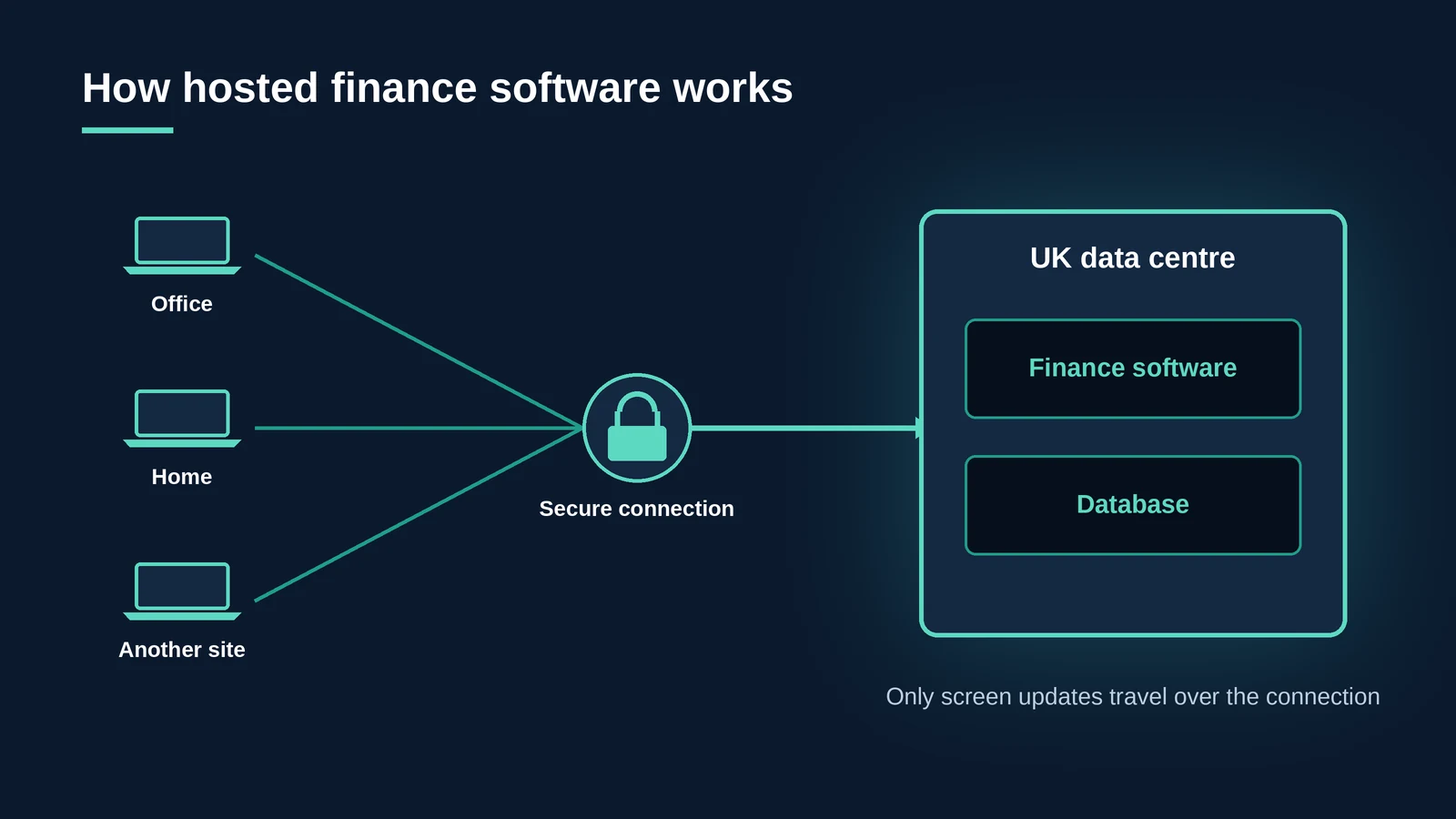
Most hosted finance systems use one of two delivery methods. With managed Remote Desktop Services, users log in to a full hosted Windows desktop that contains the finance software. With application publishing, users open just the finance application, which appears on their own device as if it were installed locally.
In both cases, the software and the database stay in the data centre. Only screen updates and keyboard and mouse input travel over the connection, which keeps data off laptops and makes performance less dependent on each user’s internet connection.
Example: finance software for Multi-Academy Trusts
IRIS Software Group’s IRIS Financials is an accountancy system widely used in the education and charitable sectors, including by Multi-Academy Trusts. IRIS needed to provide a multi-location, multi-entity and multi-currency accounting service, available 24 hours a day, 7 days a week.
IRIS partnered with BlackBox Hosting for a full end-to-end cloud service, from initial consultation and planning through to deployment and ongoing support. The platform is powered by BlackBox but provided to IRIS customers as a remotely hosted service. Read the IRIS case study.
How do you move accounting software to a hosted environment?
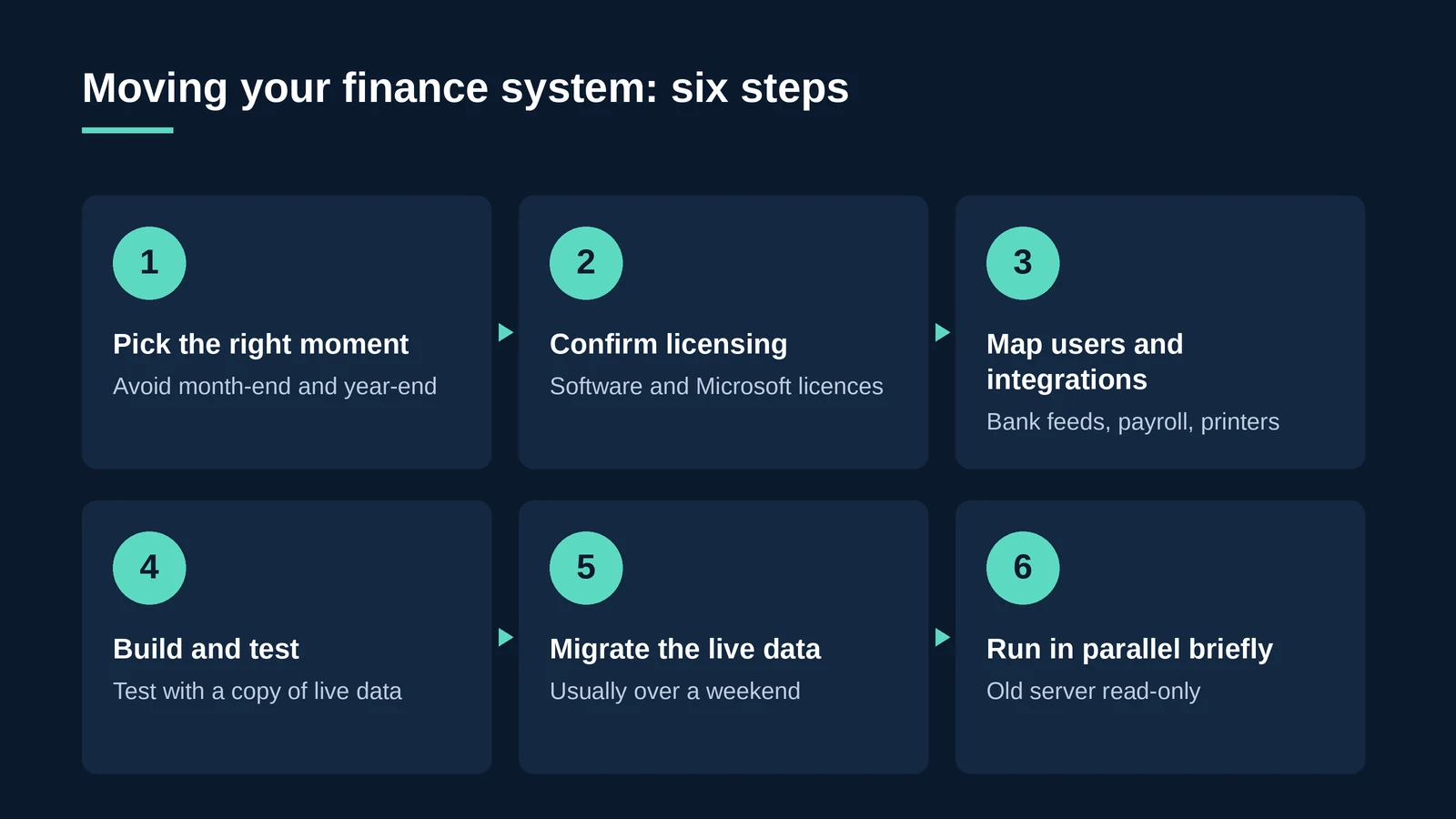
- Pick the right moment. Avoid month-end and year-end; plan around your financial calendar.
- Confirm licensing. Check your software licence allows hosting, and agree Microsoft licensing with the provider.
- Map users, integrations and printers. Include bank feeds, payroll links, reporting tools and cheque or remittance printing.
- Build and test. The provider builds the environment and your team tests it with a copy of live data.
- Migrate the live data. Move the final database, usually over a weekend.
- Run in parallel briefly. Keep the old server available read-only until everyone is confident.
How can BlackBox Hosting help?
BlackBox Hosting provides managed private cloud built specifically for the software industry, and runs accounting, ERP and other business-critical applications for organisations across the UK.
- The UK’s largest managed RDS provider, supporting over 10,000 daily remote desktop users across a wide range of software packages.
- Application publishing, including white-label delivery for software vendors.
- Managed backup and disaster recovery in UK data centres.
- 24/7 support from UK-based engineers, a 99.999% uptime guarantee and a 30-day free trial.
- Certified to ISO 27001, ISO 22301, ISO 20000-1, ISO 9001, ISO 14001, ISO 14068-1:2023, CSA STAR Level 2 and Cyber Essentials Plus, and listed on G-Cloud 14.
“Finance teams don’t want a new system, they want the one they have to be fast, safe and available wherever they’re working. Hosting gives them that without a migration project that takes over the whole year.”
– Matt Burden, Founder & Managing Director, BlackBox Hosting
Ready to retire the finance server?
Talk to a BlackBox engineer about hosting your accounting or ERP software in a secure UK cloud, or try it free for 30 days.
Talk to an expert Start a 30-day free trialFAQ: Accounting and ERP software hosting
Accounting software hosting means running your existing desktop or server-based finance software on a provider’s servers in a data centre. Users connect securely, usually through a remote desktop session or a published application.
No. Hosting runs your current software in the cloud. Cloud accounting usually means switching to a different, browser-based product, which involves migration and retraining.
In many cases, yes. Most desktop and server-based finance applications can be hosted, but you should check your software licence terms and confirm compatibility with the provider before moving.
It can be more secure than an office server, provided the host uses audited security controls such as ISO 27001 and Cyber Essentials Plus, keeps data in the UK, and provides managed, tested backups.
Not usually. The software and database run together in the data centre, so performance depends far less on each user’s connection. Dedicated resources also help during busy periods such as month-end.
Yes. Hosting gives every office and remote worker access to the same system and data, which suits multi-site and multi-entity organisations.
It depends on the size of the system and its integrations, but the final data migration is usually completed over a weekend once the hosted environment has been built and tested.